Friday, December 9, 2022

Dart programming language concepts needed to learn before learning flutter app development
Before learning Flutter app development, it is helpful to have a good understanding of the Dart programming language. Some of the key concepts of Dart that you should be familiar with include:
Data types: Dart has a number of built-in data types, including numbers, strings, booleans, and collections (e.g. lists and maps). You should be familiar with the syntax for declaring and using variables of these types, as well as the operations and methods that are available for each type.
Functions: Dart allows you to define your own functions, which are named blocks of code that can be called to perform a specific task. You should be familiar with the syntax for defining and calling functions, as well as the concept of parameters and return values.
Classes and objects: Dart is an object-oriented programming language, which means that it allows you to define classes that can be used to create objects. You should be familiar with the syntax for defining classes, as well as the concept of fields, methods, and constructors.
Async programming: Dart supports asynchronous programming, which means that you can write code that can perform long-running tasks without blocking the execution of other code. You should be familiar with the async and await keywords, as well as the Future and Stream classes, which are used to manage asynchronous operations in Dart.
Package management: Flutter uses a package manager called pub to manage the dependencies of your app. You should be familiar with the basics of using pub, including how to add, update, and remove packages from your app.
Overall, these are some of the key concepts of the Dart programming language that you should be familiar with before learning Flutter app development. By understanding these concepts, you will be well-equipped to start building your own Flutter apps.
Saturday, April 30, 2022
How to remove debug banner in Flutter App

A debug banner is controlled by the debugShowCheckedModeBanner property of a MaterialApp and CupertinoApp widget. To remove or hide the debug banner in your Flutter app, set the debugShowCheckedModeBanner property to false in the constructor argument of a MaterialApp/CupertinoApp.
  MaterialApp(

  debugShowCheckedModeBanner: false,

  home: Scaffold(

    appBar: AppBar(

      title: const Text('Home'),

    ),

  ),

);
Monday, October 25, 2021
a list of great Flutter UI templates

Flutter UI/UX Examples 🍟


Looking for an awesome UI kit for Flutter? Here is a curated list of a few awesome Flutter UI design templates to integrate in your Flutter app and save your time on designing widgets. You can check more UI design templates here.
Show some ❤️ and star ⭐ the repo to support the project
Index 📝
1. Login Page UI 🍦
| GIF | Screenshot |
|---|---|
 |
 |
Packages in use:
Fonts
1. Poppins
2. Movie Streaming App 🍨
| GIF | Screenshot |
|---|---|
 |
 |
Packages in use:
Fonts
1. Poppins
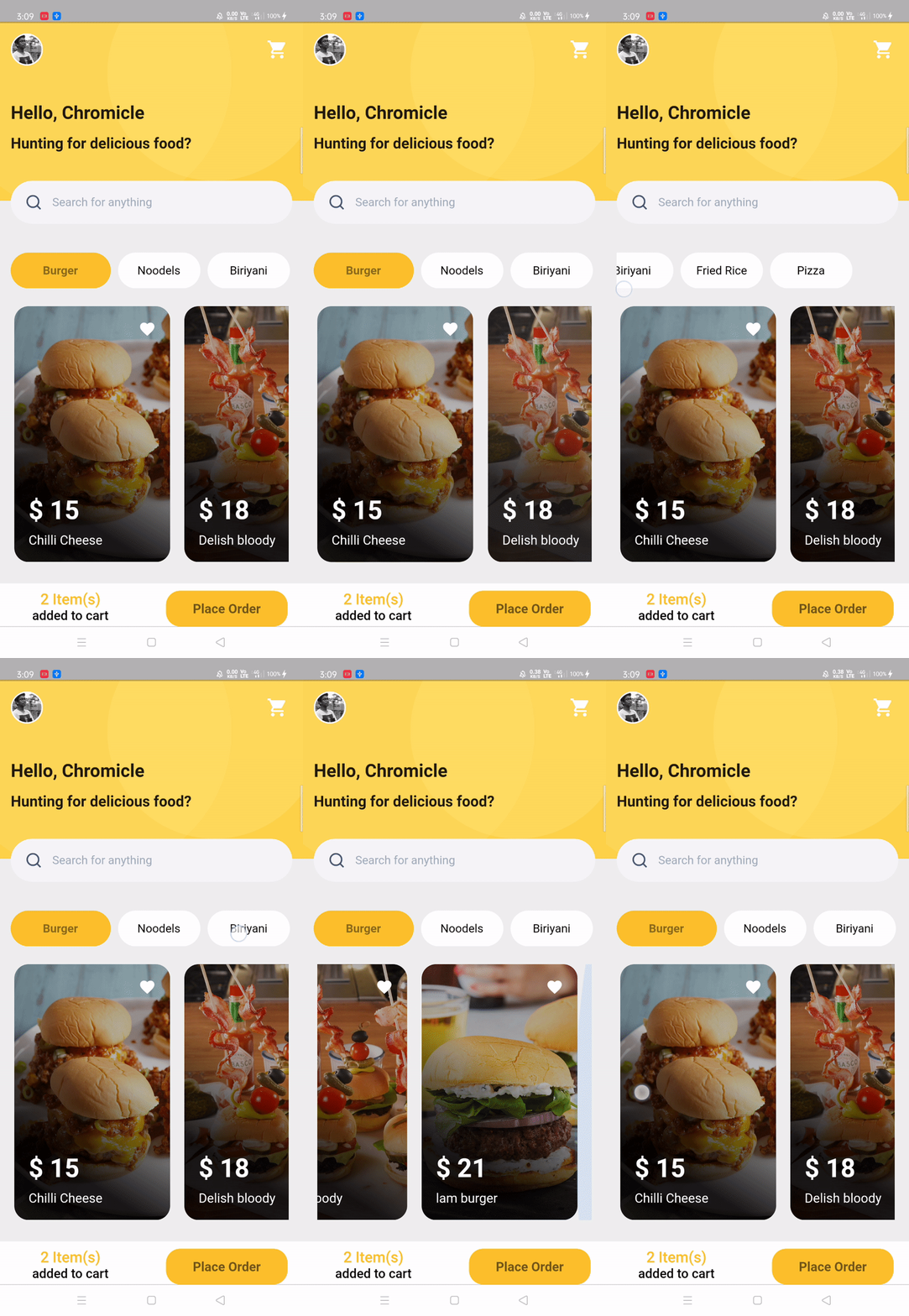
3. Food Order app 🎂
| GIF | Screenshot |
|---|---|
 |
 |
Packages in use:
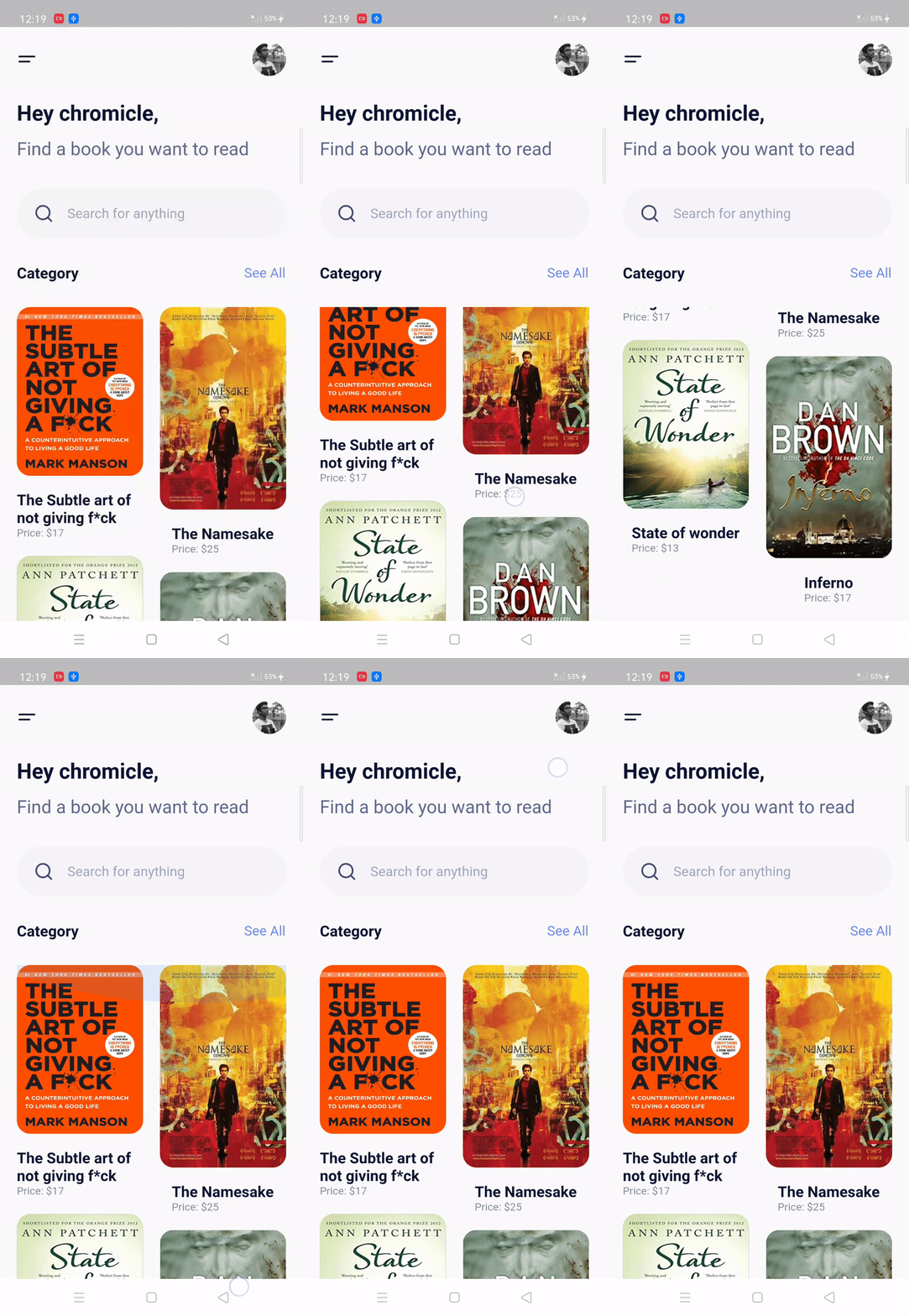
4. Books app UI 🍨
| GIF | Screenshot |
|---|---|
 |
 |
Packages in use:
Fonts
1. Poppins
5. Profile Page UI 🍧
| GIF | Screenshot |
|---|---|
 |
 |
Packages in use:
Fonts
6. Walkthrough Screen 🎂
This is a little special... Guess what?\ I implemented this in Kotlin! 😱\ This is the walk-through screen, that you can adapt according to your use, by changing images and number of screens. The top slider will scroll on any amount of screens you add!
| GIF | Screenshot |
|---|---|
 |
 |
Resources:
- Animations: cubic briezer
- Primary color: #6C63FF
- Images: undraw.co
Fonts
- Poppins
Widgets :rocket:
List of well-designed widgets that you will actually need and find useful rather than overwhelming you with a plethora of low-quality ones.
Index 📝
1. Rounded Input field 🍦
GIF \
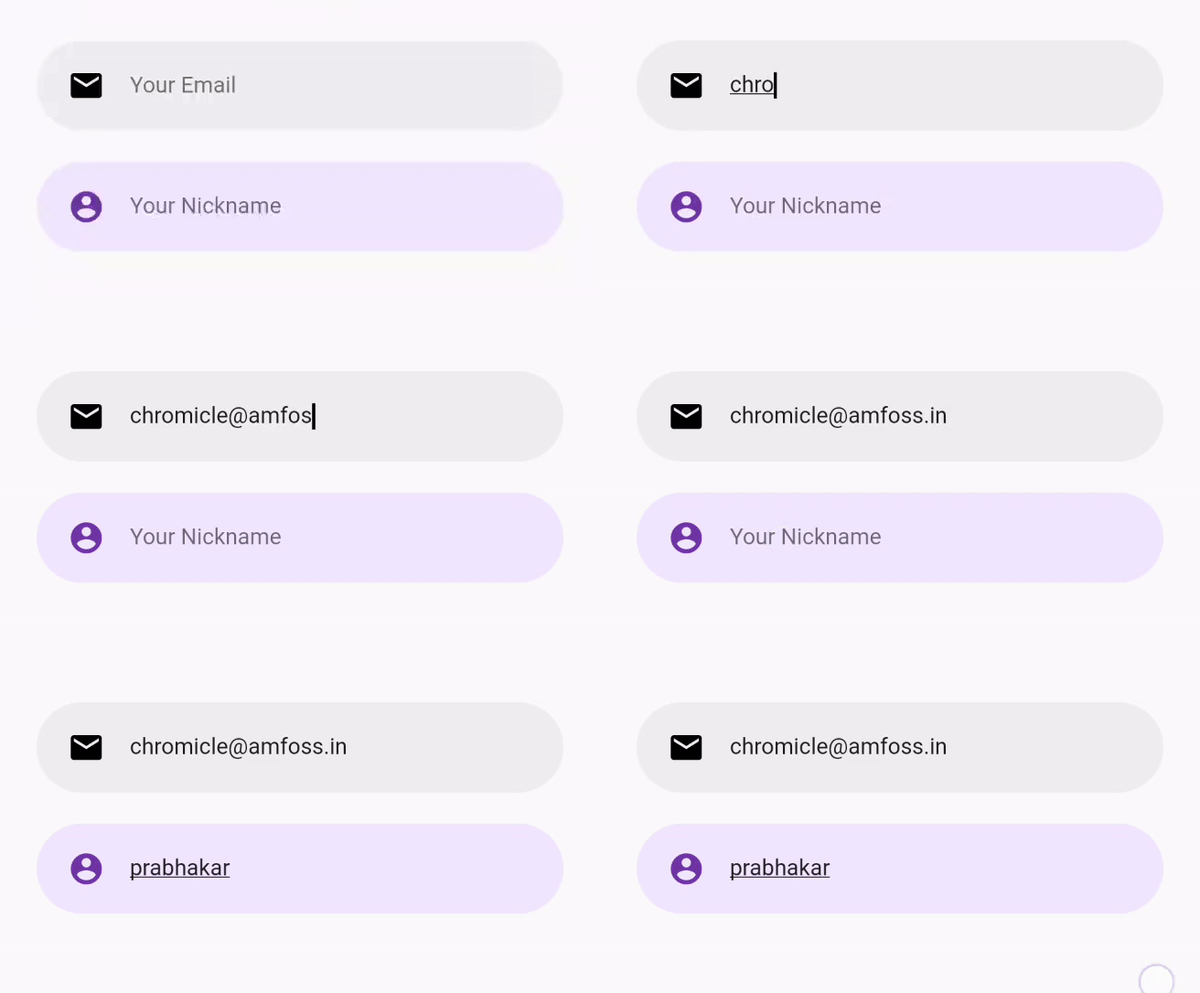
Use
RoundedInputField(
    textEditingController: controllerName,
    hintText: "Your Email",
    icon: Icons.email,
    cursorColor: Colors.black,
    editTextBackgroundColor: Colors.grey[200],
    iconColor: Colors.black,
    onChanged: (value) {
      name = value;
     },
 )
2. Flushbar alert service
To use this widget you have to include one denpendency called flushbar in your pubspec.yaml, if you want error alert you have to give AlertType.error in type feild same applies to warning \
GIF \

Use
CustomButton(
    text: "Add to Cart",
    onPressed: () {
      AlertService().showAlert(
         context: context,
         message: 'product has been added to cart',
         type: AlertType.success,
         );
     },
 )
Doremon 🐱
Any doremon fans here? For relaxation I design some of cartoons
 Thanks for coming here from doremon :xD
Author(s) ✍️
 @chromicle
 Looking to contribute? :computer:
Please read CONTRIBUTING.md before writing a pull request. Any and all help we can get is welcome :)
License :memo:
This repository is licensed under MIT License. Find LICENSE to know more.
Note
These examples are open to all kinds of contribution in all of its categories. dude, they are completely free😜 \ If you found this project useful, then please consider giving it a :star: on Github and sharing it with your friends via social media⚡. \ Happy Coding 💻.
Monday, November 5, 2018
What is Android flutter?
Flutter is an open source SDK for creating high-performance, high-fidelity mobile apps for iOS and Android. The Flutter framework makes it easy for you to build user interfaces that react smoothly in your app, while reducing the amount of code required to synchronize and update your app's view.
Subscribe to:
Posts (Atom)